









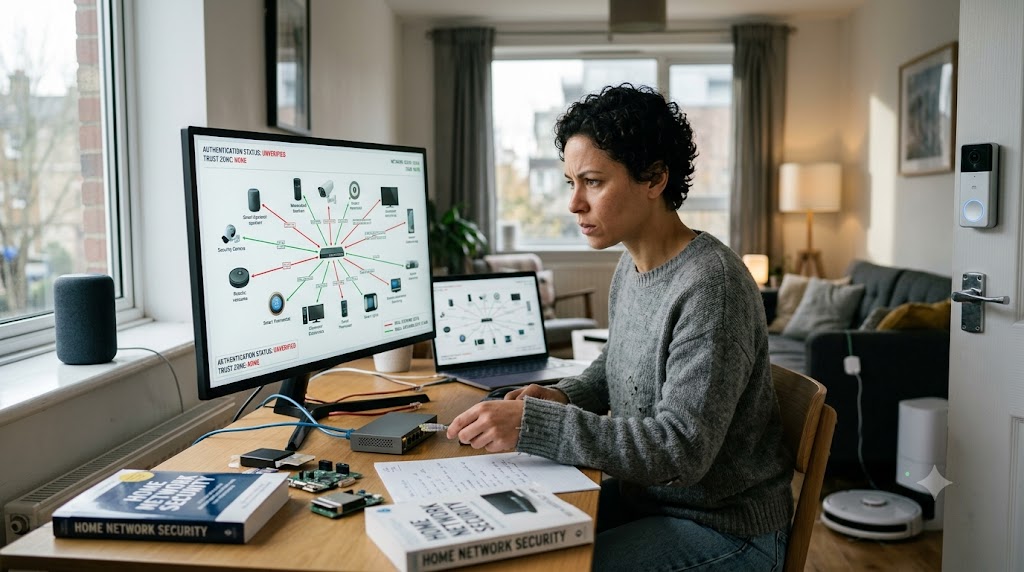
For decades, the standard architecture of the domestic internet rested on a single, comforting analogy: the castle and moat. The home router served as the drawbridge, guarded by a single WPA2 or WPA3 password. Once a device successfully entered the network—whether a family smartphone, a work laptop, or a handheld gaming console—it was deemed inherently trustworthy. Inside the perimeter, every connected object could freely communicate with every other object across a flat, open digital terrain.
In 2026, that traditional perimeter model is officially dead.
The modern residential home has quietly evolved into a complex, high-density computing environment. The average household now manages dozens of interconnected endpoints: smart televisions, robotic vacuum cleaners, continuous health monitors, connected door locks, surveillance cameras, electric vehicle chargers, and personal smartphones, alongside corporate laptops holding sensitive enterprise data.
When a single low-cost smart light bulb or unbranded Wi-Fi plug suffers a firmware exploit, an attacker does not simply gain control of a light switch. In a traditional flat network, that compromised device becomes an unchecked beachhead—a launchpad from which malicious actors execute “lateral movement” across the local network to intercept unencrypted traffic, scrape personal storage drives, or compromise corporate VPN credentials.
To counter this expanding threat landscape, cybersecurity experts and national infrastructure agencies are urging consumers to abandon perimeter defense entirely. The solution lies in adapting enterprise-grade architecture for the residential living room: the Zero-Trust Home Network. Built on the foundational mantra of “never trust, always verify,” zero-trust home networking transforms the domestic digital environment from an open playground into a resilient, compartmentalized ecosystem.
The Demise of the Perimeter: Why the Modern Home Is a Primary Target
To understand why traditional home networking is failing, one must examine the fundamental shift in how cybercriminals target residential infrastructure.
Historically, consumer cyber threats relied on direct user interaction: a family member clicking a phishing link in an email, downloading a trojanized software installer, or visiting a compromised website. While social engineering remains a major threat, automated exploitation tools increasingly target the physical hardware sitting on home shelves.
Modern homes present an asymmetric vulnerability profile:
- Unpatched and Unsupported Hardware: Unlike corporate laptops and mobile operating systems that receive monthly security updates, consumer Internet of Things (IoT) devices are frequently shipped with unpatched vulnerabilities, hardcoded administrative credentials, or short software support lifespans. Once an IoT vendor ceases firmware support, the device remains connected to the home network for years, permanently vulnerable to automated botnet scanners.
- The Hybrid Work Convergence: The permanent establishment of hybrid and remote work models has blurred the boundary between corporate enterprise networks and domestic living spaces. A corporate laptop containing proprietary intellectual property or financial data now shares a physical local network with cheap, unverified smart home gadgets purchased from third-party online marketplaces.
- Automated Botnet Recruitment: Cybercriminal syndicates no longer hack individual homes for personal blackmail alone. Automated scanning scripts continuously probe residential IP addresses to recruit vulnerable smart home devices into massive distributed denial-of-service (DDoS) botnets, or to turn residential routers into proxy nodes used to mask nation-state cyber operations.
In a flat network, a vulnerability in an ambient smart speaker or an internet-connected toaster exposes every other device on the subnet. The traditional assumption that “inside the router means safe” is no longer a viable security posture.
Core Principles of Zero Trust in a Domestic Context
Zero trust is not a single software program, a subscription service, or a specific brand of router. It is an architectural philosophy that assumes a breach has either already occurred or is actively in progress.
When translated from corporate data centers to the domestic household, zero trust relies on three core tenets:
1. Assume Breach
Never operate under the assumption that the internal network is clean. Treat every local connection—whether originating from an ethernet cable plugged into the wall or a wireless signal from a family tablet—with the same default skepticism applied to traffic coming from the public internet.
2. Explicit Verification
Every connection request, data exchange, and administrative action must be authenticated and authorized based on clear context. A device should prove its identity, location, and operational health before being permitted to access network resources.
3. Least-Privilege Access
A device should only be granted the absolute minimum network access required to perform its specific job. A smart thermostat needs access to a cloud server to fetch weather data and receive temperature commands; it has zero operational need to communicate with a local Network Attached Storage (NAS) unit or a home office printer.
+--------------------------------------------------------------------------+
|                  TRADITIONAL VS. ZERO-TRUST HOME NETWORK                 |
|                                                                          |
|  Traditional Flat Network                                                |
|  [ Public Internet ] ---> [ Router Firewall ] ---> [ Open Home Subnet ]  |
|                                                    ├── Work Laptop       |
|                                                    ├── Personal Phone    |
|                                                    ├── NAS Storage       |
|                                                    └── Cheap Smart Plug  |
|                                                    (Lateral Attack Path) |
|                                                                          |
|  Zero-Trust Segmented Network                                            |
|  [ Public Internet ] ---> [ Next-Gen Router ]                             |
|                               ├── VLAN 10 (Secure): Laptop, Phone, NAS   |
|                               ├── VLAN 20 (IoT):    Smart Plug, Camera   |
|                               └── VLAN 30 (Guest):  Visitor Devices     |
|                               (Strict Inter-VLAN Firewall Rules Applied) |
+--------------------------------------------------------------------------+
Microsegmentation: Isolate to Contain
The operational backbone of a zero-trust home network is microsegmentation—the practice of dividing a single physical network into isolated, virtual zones. By breaking the domestic network into distinct compartments, homeowners can ensure that if a single IoT device is compromised, the breach is completely contained within that localized segment, preventing lateral movement to sensitive data.
Modern consumer and prosumer routers make microsegmentation attainable without requiring an advanced degree in network engineering.
Creating the Three-Tier Network Model
A robust home zero-trust architecture relies on dividing devices into three distinct Virtual Local Area Networks (VLANs) or isolated Wi-Fi Service Set Identifiers (SSIDs):
- Tier 1: The Secure Primary Network: Dedicated exclusively to primary computing assets that handle sensitive personal and financial data. This includes personal computers, work laptops, smartphones, primary tablets, and local encrypted storage drives. Devices on this network can communicate with one another under strict authentication, but remain isolated from less secure hardware.
- Tier 2: The Isolated IoT Network: Reserved for all smart home appliances, security cameras, smart TVs, ambient audio speakers, streaming dongles, and connected home sensors. Devices on this segment are granted outbound internet access to perform their cloud functions, but are explicitly blocked from initiating connections to devices on the Secure Primary Network.
- Tier 3: The Guest and Transient Network: Designated for visiting friends, temporary workers, and personal devices that do not belong to the primary household members. This network provides simple internet access while completely isolating guests from both the internal smart home infrastructure and primary personal computing devices.
By enforcing strict firewall rules between these tiers—specifically blocking all “East-West” traffic moving from the IoT segment to the Primary segment—homeowners create a digital quarantine zone. If a smart TV’s software is exploited, the malware cannot scan or attack the personal computer sitting five feet away on the same living room table.
Identity, Passkeys, and Encrypted DNS: Strengthening the Core
While network segmentation limits the blast radius of a breach, strengthening identity and traffic encryption ensures that administrative control of the home environment remains uncompromised.
The Death of Weak Router Passwords
The administrative interface of the home router is the crown jewel of the domestic network. Modern zero-trust hygiene mandates the immediate retirement of default administrative credentials, simple passwords, and legacy remote-management utilities.
Administrative portals should be accessible only from a physically connected ethernet cable or a specific, authenticated hardware MAC address on the secure primary network. Furthermore, home network administrators should enforce multi-factor authentication (MFA) or passkeys—cryptographic keys anchored to physical hardware enclaves—to access router configuration settings.
Implementing Encrypted DNS and Filtering
The Domain Name System (DNS) is the phonebook of the internet, translating human-readable web addresses into numerical IP addresses. By default, standard ISP-provided DNS requests are transmitted in plain text, allowing third parties to monitor browsing habits and enabling malicious scripts to redirect users to fraudulent sites.
Zero-trust home hygiene requires implementing encrypted DNS protocols—specifically DNS-over-HTTPS (DoH) or DNS-over-TLS (DoT)—at the gateway level:
- Network-Wide Filtering: Utilizing centralized DNS sinkholes or filtering services (such as Pi-hole, NextDNS, or specialized security-focused DNS resolvers) allows the network gateway to intercept and block malicious connections before they reach an endpoint.
- Telemetry and Botnet Neutralization: Automated security filters prevent compromised IoT devices from contacting known botnet command-and-control (C2) servers, effectively neutralizing malicious software even if an internal device has been infected.
- Tracker and Ad Blocking: Gateway-level filtering strips away malicious advertising scripts and invasive background telemetry trackers across all household devices simultaneously, including smart TVs that lack native privacy settings.
Hardware Lifecycle Management and Protocol Hygiene
A fundamental tenet of zero trust is acknowledging that software decays over time. Maintaining a secure domestic network requires active management of device lifespans and the disabling of legacy networking protocols that introduce hidden vulnerabilities.
Eliminating Legacy Protocols
Consumer routers frequently ship with legacy performance and discovery features enabled by default to ensure plug-and-play convenience. In a zero-trust model, these convenience features must be systematically disabled:
- Universal Plug and Play (UPnP): UPnP allows local devices to automatically open port-forwarding rules on the router firewall without administrative approval. Malware running on an infected smart TV can exploit UPnP to expose internal home services directly to the public internet. Disabling UPnP locks the firewall, requiring explicit, manual administrative approval for any inbound port assignment.
- WPS (Wi-Fi Protected Setup): WPS allows devices to join the network via a short numerical PIN or a physical push-button. The PIN mechanism is notoriously vulnerable to brute-force attacks, allowing nearby attackers to crack the Wi-Fi credential in a matter of hours.
- Legacy Wi-Fi Encryption: Retiring legacy WPA and WPA2-TKIP encryption standards in favor of WPA3 ensures that local radio traffic is protected against modern offline dictionary and key-reinstallation attacks (KRACK).
Auditing the Connected Inventory
Homeowners should conduct a quarterly audit of all connected hardware. Devices that no longer receive security patches from their manufacturers should be migrated to the isolated IoT network or decommissioned entirely. When replacing older smart home hardware, consumers should prioritize devices that adhere to modern interoperability and security standards, such as Matter and Thread, which incorporate native device attestation and encrypted local communication channels.
A Step-by-Step Blueprint for the Zero-Trust Household
Transitioning a complex domestic network to a zero-trust architecture does not require replacing every piece of hardware in the house. By following a structured implementation roadmap, homeowners can systematically elevate their security posture in an afternoon.
+--------------------------------------------------------------------------+
|                  ZERO-TRUST IMPLEMENTATION ROADMAP                       |
|                                                                          |
|  Phase 1: Audit & Discovery                                              |
|  ├── Export full device list from router gateway                         |
|  └── Identify unpatched, legacy, or end-of-life IoT endpoints            |
|                                                                          |
|  Phase 2: Gateway Hardening                                              |
|  ├── Update router firmware to latest version                            |
|  ├── Disable UPnP, WPS, and Remote WAN Management                        |
|  └── Change administrative password to strong, unique passphrase / MFA   |
|                                                                          |
|  Phase 3: Microsegmentation                                              |
|  ├── Configure Primary, IoT, and Guest SSIDs / VLANs                     |
|  ├── Apply strict inter-VLAN firewall rules (Block IoT -> Primary)       |
|  └── Re-home all smart home appliances and cameras to the IoT VLAN       |
|                                                                          |
|  Phase 4: Encrypted DNS & Threat Shielding                               |
|  ├── Enable DoH or DoT on the primary gateway                            |
|  └── Deploy network-wide malware and telemetry DNS blocklists            |
+--------------------------------------------------------------------------+
Phase 1: Audit and Inventory
Log into the primary router’s management console and generate a complete list of every connected device. Identify unknown IP addresses, catalog MAC addresses, and assign clear, descriptive labels to every connected endpoint in the home.
Phase 2: Gateway Hardening
Check for router firmware updates and enable automatic patching if available. Update administrative credentials, enforce WPA3 wireless encryption, and explicitly disable UPnP, WPS, and remote management over the Wide Area Network (WAN).
Phase 3: Segment the Wireless Network
Enable multi-SSID or VLAN capabilities on the router or mesh network system. Establish three distinct channels:
- Primary Network: For trusted personal computers, mobile phones, and secure storage.
- IoT Network: For smart TVs, streaming sticks, cameras, plugs, and appliances.
- Guest Network: For visitors and unverified hardware.
Move all smart home devices to the IoT network. Verify in the router settings that “Client Isolation” or “Inter-VLAN Blocking” is active on the IoT network to prevent those devices from communicating with the Primary Network.
Phase 4: Deploy Encrypted DNS Filtering
Configure the gateway’s DNS settings to route all outbound requests through a secure, encrypted DNS provider utilizing DoH or DoT. Enable malicious domain filtering to automatically block known phishing sites, malware hosts, and botnet command channels.
Reclaiming the Digital Sanctuary
The rapid expansion of the Internet of Things has brought unprecedented convenience, automation, and efficiency to modern daily life. Yet, by converting the domestic living room into a high-density computing environment, it has also brought the complex threat landscape of the enterprise world directly to the front door.
Relying on a single Wi-Fi password to protect personal finances, confidential work communications, and family privacy against automated global threats is no longer a viable strategy.
By embracing the principles of zero trust—microsegmenting vulnerable IoT gadgets away from primary data, enforcing explicit verification, hardening gateway security, and filtering outbound network traffic—homeowners can build a resilient digital fortress. The zero-trust home network is not an expression of paranoia; it is the essential cyber hygiene required to ensure that our interconnected spaces remain what they were always meant to be: safe, private, and secure sanctuaries for daily life.